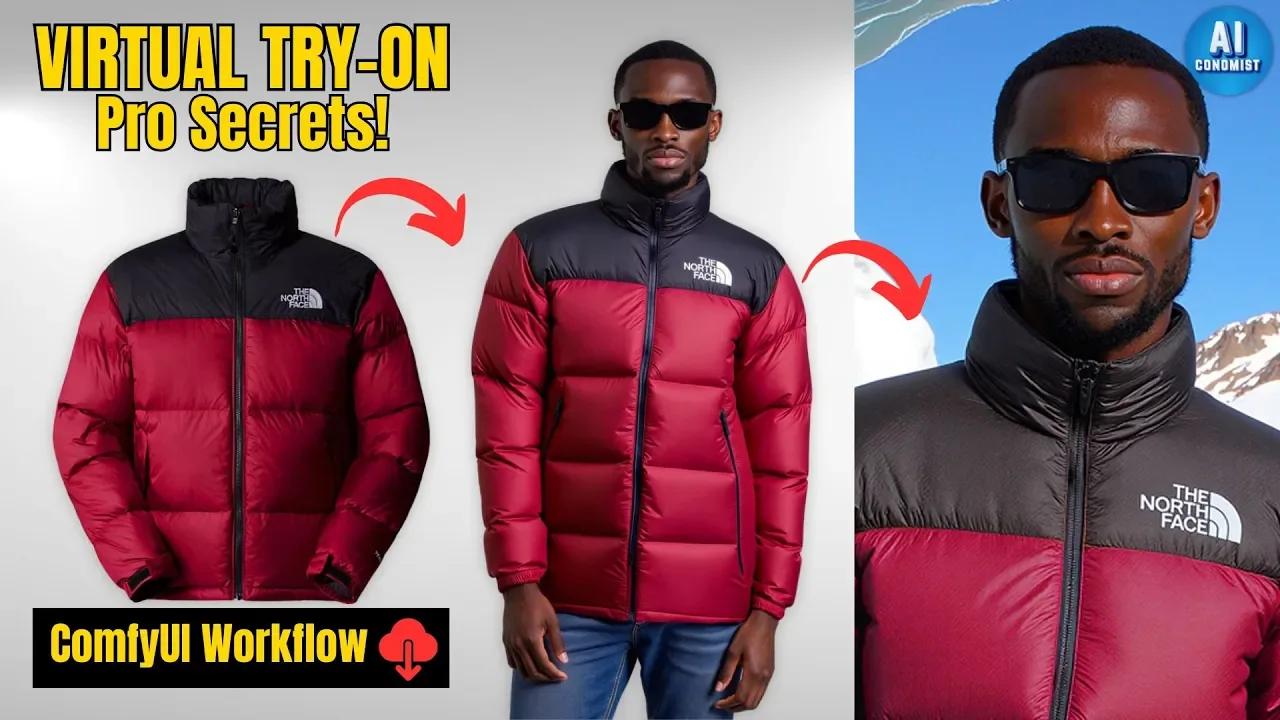
CatVTON is a lightweight virtual try-on model: give it a photo of your model and a photo of a garment, and it dresses the model in it. In ComfyUI you can do garment-to-person try-on and person-to-person garment transfer, then refine the result with FLUX for realistic detail.
First published December 2024 on the old PixelAI Labs blog. Refreshed in October 2026: the steps below are checked, the links point to the current project pages, and newer options are mentioned where they help.
Install on Windows
- Install Git for Windows (64-bit).
- Download the CatVTON ComfyUI Windows installer from the downloads, put it where you want ComfyUI and run it.
Projects used: CatVTON, the ComfyUI CatVTON node and the CatVTON wrapper.
Install on RunPod (cloud GPU)
Paste this into a JupyterLab terminal:
python -m venv venv
source venv/bin/activate
git clone https://github.com/Comfy-Org/ComfyUI.git
cd ComfyUI
pip install torch torchvision torchaudio --extra-index-url https://download.pytorch.org/whl/cu124
pip install -r requirements.txt
cd custom_nodes
git clone https://github.com/Comfy-Org/ComfyUI-Manager.git comfyui-manager
git clone https://github.com/chflame163/ComfyUI_CatVTON_Wrapper.git
cd ComfyUI_CatVTON_Wrapper
pip install -r requirements.txt
cd ../../models
wget https://huggingface.co/datasets/aiconomist/CatVTON_Files/resolve/main/CatVTON.zip
cd ..
python main.py
Unzip CatVTON.zip inside ComfyUI/models before you run the workflow.
Models
| Model | Used for |
|---|---|
| Juggernaut-X-v10 | SDXL base for the try-on pass |
| FLUX.1-dev GGUF | Refining the result |
| Flux.1-dev ControlNet Upscaler | Sharp upscaling |
Building an AI influencer? The UltraRealistic AI Influencer Pro course shows the complete system with today's models: design one character, train her own LoRA, and make KREA 2 photos and MiniMax H3 talking videos, on the cloud or your own GPU.
Garment to person
Load the model photo and a clean garment photo (a flat lay or ghost mannequin on a plain background works best), mask the area to replace, and run. A short prompt helps the refining pass:
a woman wearing a red and black puffer jacket, realistic fabric texture, natural lightPerson to person
Use a photo of someone wearing the garment as the second image. CatVTON moves the clothing to your model while keeping her face and pose.
FAQ
What is CatVTON?
A lightweight virtual try-on diffusion model that puts a garment from one image onto a person in another.
What garment photos work best?
Sharp, front-facing photos on a plain background. Busy backgrounds and folded clothes confuse the model.
Can I run it without a GPU?
Use the RunPod setup above on a rented GPU.
Take it further
Virtual try-on is a quick way to give an AI model a full wardrobe. If you want a ready-made, tested system instead of assembling one yourself, the UltraRealistic AI Influencer Pro course walks through character design, LoRA training, KREA 2 photos and MiniMax H3 videos step by step, and the InstantClone AI Influencer Suite creates consistent images and motion videos from one character image. More free guides are on the PixelAI Labs blog.
Downloads
The Windows installer, the advanced try-on workflow and the basic local workflow.