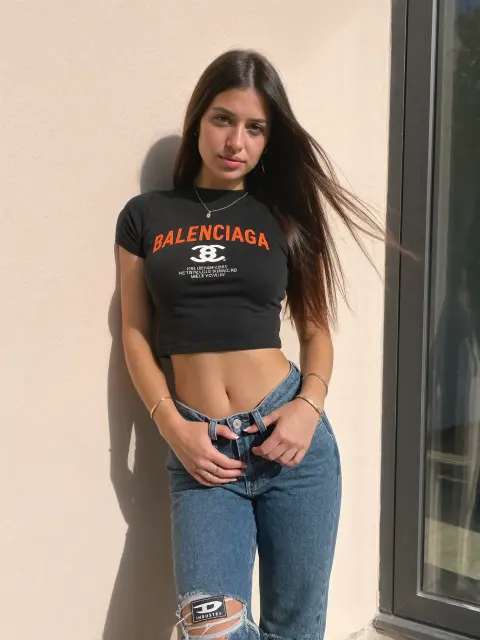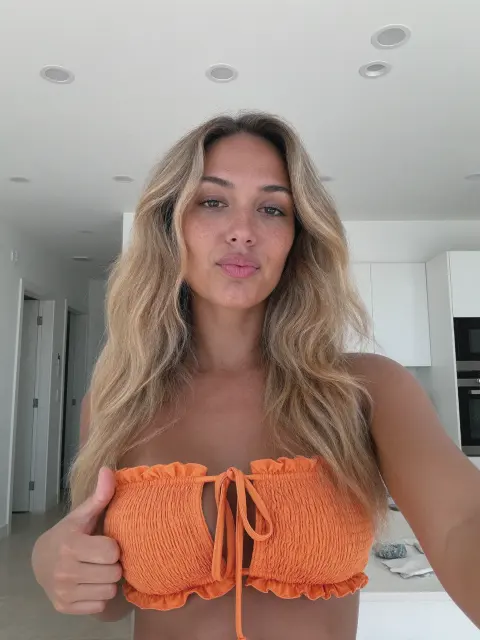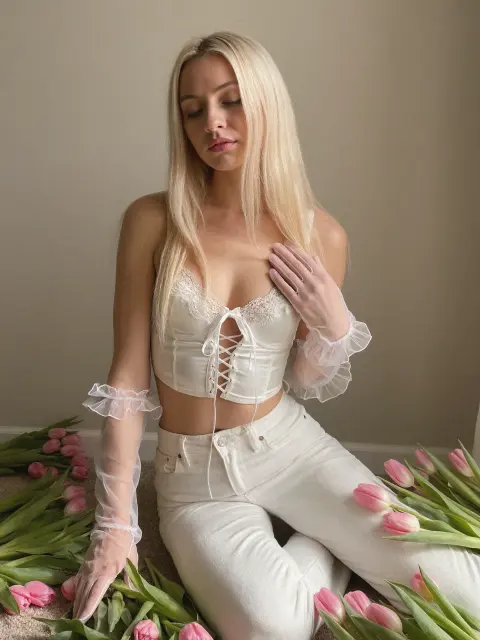
FLUX.1 Tools are four official add-on models for FLUX.1 [dev]: Fill for inpainting and outpainting, Canny and Depth for following the structure of a reference image, and Redux for image variations and restyling. This free all-in-one ComfyUI workflow puts all four in one graph, with a full-size and a low-VRAM GGUF version.
First published November 2024 on the old PixelAI Labs blog. Refreshed in October 2026: the steps below are checked, the links point to the current project pages, and newer options are mentioned where they help.
Newer models such as FLUX.1 Kontext and FLUX.2 can edit images from a text instruction alone. The FLUX.1 Tools are still very useful when you want exact control with a mask, an edge map or a depth map, and their GGUF versions run on modest GPUs.
What you need
- An up-to-date ComfyUI.
- These custom node packs (open the workflow, then Manager → Install Missing Custom Nodes): rgthree-comfy, ComfyUI-KJNodes, comfyui_controlnet_aux and ComfyUI_essentials. The GGUF version also needs ComfyUI-GGUF.
- The models below.
| Model | Folder | Download |
|---|---|---|
| FLUX.1 [dev] (fp8) | models/diffusion_models | Comfy-Org/Flux-1-Dev |
| FLUX.1 Fill [dev] | models/diffusion_models | black-forest-labs/FLUX.1-Fill-dev |
| FLUX.1 Canny [dev] | models/diffusion_models | black-forest-labs/FLUX.1-Canny-dev |
| FLUX.1 Depth [dev] | models/diffusion_models | black-forest-labs/FLUX.1-Depth-dev |
| FLUX.1 Redux [dev] | models/style_models | black-forest-labs/FLUX.1-Redux-dev |
| SigCLIP vision | models/clip_vision | Comfy-Org/sigclip_vision_384 |
| clip_l + t5xxl text encoders | models/text_encoders | comfyanonymous/flux_text_encoders |
FLUX VAE (ae.safetensors) | models/vae | black-forest-labs/FLUX.1-dev |
Low VRAM? Use the GGUF workflow with FLUX.1-dev GGUF, Fill GGUF, Canny GGUF, Depth GGUF and the T5 GGUF encoder. The FLUX.1 [dev] models are under a non-commercial license; read it before using results commercially. If your file names differ from the workflow, just pick your files in the loader nodes.
How to use the workflow
The workflow has five groups: Outpainting, Inpainting, Canny, Depth and Redux. Turn on one group at a time with the Fast Groups Muter node, so the others don't run. Models already loaded stay in VRAM, so switching tools is quick.
1. Inpainting with FLUX.1 Fill
Load your image, right-click it and choose Open in MaskEditor, paint over the part to change and save. Describe only what should appear in the mask, for example:
black jacketSettings in the workflow: FluxGuidance 30, 30 steps, euler, simple.
2. Outpainting with FLUX.1 Fill
Set how many pixels to add on each side in the Pad Image for Outpainting node, then describe the whole picture, including what should fill the new space:
a young woman standing under a large tree by a lake, calm water, trees and bushes in the background, blue sky with soft clouds3. Structure control with Canny and Depth
Load a reference image. The workflow turns it into an edge map (Canny) or a depth map (Depth), and FLUX keeps that layout while your prompt changes everything else:
a professional photo of an african-american woman standing and posing inside a luxurious mansiona professional photo of a medieval woman standing behind village housesBoth use FluxGuidance 10. Canny follows outlines closely; Depth keeps the 3D layout but leaves more freedom for details.
Building an AI influencer? The UltraRealistic AI Influencer Pro course shows the complete system with today's models: design one character, train her own LoRA, and make KREA 2 photos and MiniMax H3 talking videos, on the cloud or your own GPU.
4. Image variations with Redux
Load one image and run. Redux creates new images in the same style and with the same subject. The text prompt has a weak effect here; you can chain several Apply Style Model nodes to mix images. Redux runs with FluxGuidance 3.5 and 20 steps.
FAQ
What are the FLUX.1 Dev Tools?
Four official models from Black Forest Labs that extend FLUX.1 [dev]: Fill (inpainting and outpainting), Canny and Depth (structure control) and Redux (image variations).
Can I run them with 8 to 12 GB of VRAM?
Use the GGUF workflow with quantized models (for example Q5 or Q4). Lower quantization uses less memory but loses some detail.
Why does inpainting change too much of my image?
Paint a tighter mask and describe only what goes inside it. The workflow blurs the mask edge slightly so the new part blends in.
Can I use the results commercially?
The FLUX.1 [dev] models have a non-commercial license. Check Black Forest Labs' license terms before any commercial use.
Take it further
Fill, Canny, Depth and Redux cover most image editing jobs. If you want a ready-made, tested system instead of assembling one yourself, the UltraRealistic AI Influencer Pro course walks through character design, LoRA training, KREA 2 photos and MiniMax H3 videos step by step, and the InstantClone AI Influencer Suite creates consistent images and motion videos from one character image. More free guides are on the PixelAI Labs blog.
Downloads
The all-in-one workflow in two versions: full-size models, and GGUF models for low VRAM. Unzip and drag the JSON file onto the ComfyUI canvas.