Free workflow downloads
Free for members. Create a free account or log in to download.
MiniMax H3 Image is out as open weights, and ComfyUI runs it natively. It makes a 16-megapixel photo in about 35 seconds on an RTX 5090, and it can also edit your photos: swap an outfit or a background and keep the face.
But most people get blurry faces, broken teeth and plastic skin from the official template. It's the same model; only three settings are wrong. This guide shows the three fixes, the download links, a few of the prompts from the video, and both free workflows. The workflows are in the download section.
What MiniMax H3 Image is
It's one model that does two jobs. With no pictures plugged in it creates a new image from your prompt, and with pictures plugged in it edits them. It needs only 6 steps, there's no negative prompt, and it was trained on huge images of up to 16 megapixels. That last point is the key to everything below.
You don't need a monster GPU either. People on Reddit run it on 16 GB cards in under a minute, and a 10 GB RTX 3080 makes full 16 MP images in about two minutes.
What you need
- ComfyUI 0.45 or newer. The MiniMax H3 Image nodes only show up from that version.
- These three files, each in its folder inside
ComfyUI/models/:
| What | File (click to download) | Folder | Size |
|---|---|---|---|
| Model | minimax_h3_image_pruned_int8_convrot | diffusion_models | 21 GB |
| VAE | minimax_h3_image_vae_fp16 | vae | 1.2 GB |
| Text encoder, type minimax | qwen3vl_32b_minimax_h3_nvfp4_awq | text_encoders | 15.7 GB |
- Already using MiniMax H3 for video? It's the same text encoder, so you can skip that download. See our Pika H3 Flex guide.
- Smaller GPU: take the w4a8 model (12.6 GB) instead of int8.
- Not on an RTX 50-series card: NVFP4 is made for those cards. On other cards pick the int8 text encoder (27 GB).
Then drag our workflow into ComfyUI. Everything is already connected.
Why the default results look bad, and the 3 fixes
Here is the same prompt and the same seed three times. On the left is the official template, in the middle fix 1, on the right fixes 1 and 2.
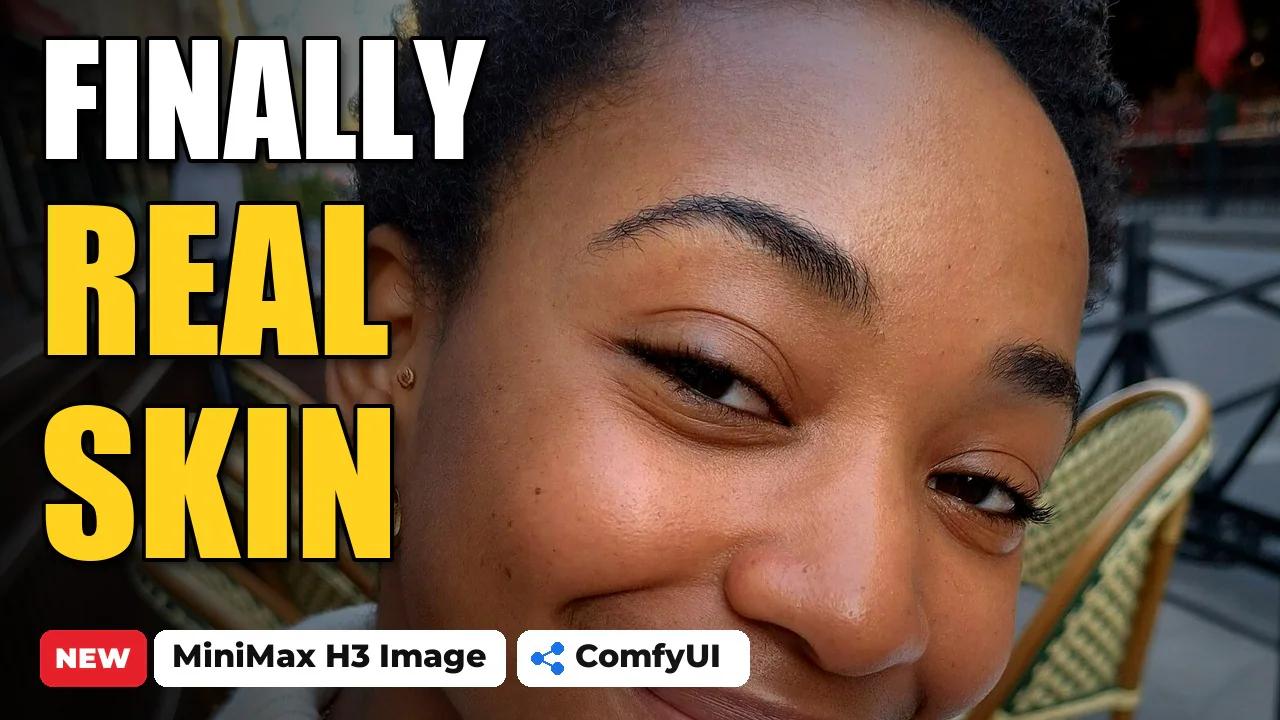
Now zoom in on her face. She is standing several metres away, which is the hardest case for any image model.
Fix 1: the size. The model was trained around 16 megapixels, so set the size to 3552 × 4736 for a portrait photo (or 4736 × 3552 for landscape). The face shape is fixed at once, but the skin still has the blocky, over-sharpened texture that everyone on Reddit complains about. Going from 4 to 16 MP only added about 9 seconds of sampling.
Fix 2: the sampler. Swap in the SamplerLCM node, which is built into ComfyUI, with the noise going from 1.1 down to 0.9. Now the skin has real pores, the eyes are clean and the teeth look natural, even on a small face. These are the settings in our workflow:
Size: 3552 x 4736 (16 MP)
Sampler: SamplerLCM, s_noise 1.1, s_noise_end 0.9, noise_clip_std 0
Scheduler: BasicScheduler, simple, 6 steps, denoise 1.0
Guider: CFGGuider, cfg 1.0 (no negative prompt)Fix 3: the prompt. A short prompt gives you a glossy, beauty-filter doll face that doesn't even look like the place you asked for. Write it long and describe it like a real phone photo: the camera, the light and the skin. Then the model gives you a real person in a real place.
4 realistic photos with their prompts
All four were made with the T2I workflow below at 16 MP, about 35 seconds each on an RTX 5090. Copy any prompt with the button on the right, then change the person, the outfit and the place.
1. Paris cafe selfie
A front-camera selfie with the light on half of her face. The cappuccino, the croissant and the bistro chairs all look like a real morning on a terrace.
A candid iPhone front-camera selfie of a 27-year-old Black woman with short natural coily hair, warm brown skin and small gold hoop earrings, sitting at a tiny round marble table on a Paris cafe terrace on a bright spring morning. She holds the phone at arm's length slightly above her face, chin down a little, smiling with closed lips, one eyebrow slightly raised. She wears a cream ribbed knit cardigan over a white t-shirt and a thin gold chain. In front of her: a cappuccino with latte art, a half-eaten croissant on a small plate and her sunglasses on the table. Behind her, out of focus: wicker bistro chairs, a red awning, a waiter in a white shirt and the street. Morning sun from the side lighting half of her face, soft shadow on the other half. Shot on the iPhone 16 Pro front camera, slight wide-angle distortion, visible skin texture and pores, light makeup, no retouching, natural phone HDR, ordinary Instagram photo, not cinematic, not studio.2. Gym mirror selfie
A full-body mirror shot with the phone in her hand. The hands, the sneakers and the gym behind her stay clean at full size.
A gym mirror selfie of a 26-year-old Latina woman with tan skin, dark brown hair in a high sleek ponytail and small diamond stud earrings, standing in front of the full-length mirror of a modern gym in the early evening. She holds an iPhone in a clear case with her right hand in front of her chest so her face is fully visible above the phone, her left hand on her hip, weight on one leg, looking at the phone screen with a confident small smile. She wears a matching sage green seamless sports bra and high-waisted leggings, white ankle socks and white chunky sneakers, a black hair tie on her wrist. Her skin has a light sheen of sweat. Reflected behind her: black rubber floor, racks of dumbbells, a cable machine, a water bottle and a towel on a bench, two other people training far in the background, out of focus. Overhead white gym lights and a warm window glow on the left. A few fingerprints and smudges on the mirror. Shot on the iPhone main camera, natural phone HDR, visible skin texture, no retouching, ordinary social media snapshot, not cinematic, not studio.3. UGC product photo
Look at the label on the serum bottle: every word is spelled right. That makes H3 Image great for product shots and brand deals.
A vertical UGC-style photo of a 28-year-old South Asian woman with long wavy black hair, warm medium-brown skin and a small gold nose stud, standing in her bright bathroom in the morning and holding a small frosted glass serum bottle with a gold dropper up next to her cheek toward the camera, label facing the lens. The label reads "DEW LAB" in clean black capital letters and below it "hyaluronic glow serum 30 ml" in small lowercase text. She smiles at the camera with her eyebrows slightly raised as if recommending it, wearing a white waffle bathrobe, hair tucked behind one ear. Her skin looks fresh and dewy with visible texture and pores, no heavy makeup. Behind her: white subway tiles, a round mirror, a small plant, a few skincare bottles on a shelf, soft out-of-focus. Soft daylight from a window on the right. Shot on the iPhone 16 Pro front camera held at arm's length, sharp focus on the bottle and her face, natural phone HDR, true-to-life colours, ordinary TikTok creator photo, not an advert, not studio.4. Magazine cover with text
Text is one of H3 Image's strengths. This magazine cover came out right on every seed I tried.
A printed fashion magazine cover photographed flat on a light wooden table, seen straight from above. The cover shows a candid close-up photo of a smiling 25-year-old woman with curly auburn hair and freckles in a white linen shirt, standing in a sunny lemon grove. The masthead at the top reads "MAISON" in large elegant black serif capital letters. On the left side, the cover lines read, in white sans-serif text: "THE NEW FACE OF SUMMER" in bold, then "48 looks for sunny days" and "Skin first: the 5-minute routine". In the bottom right corner a small yellow round sticker reads "ISSUE 07". A barcode sits in the bottom left corner. Next to the magazine on the table: a pair of tortoiseshell sunglasses and a small espresso cup, soft morning window light with gentle shadows. Real printed paper texture with a slight sheen, all text perfectly spelled and sharp.Editing: outfit try-on and the 2× speed trick
Editing is where H3 Image really shines. In the Edit workflow you load her photo first, then the coat, then the trousers. The order matters: the first picture is the one that gets edited, and in the prompt you call them <Picture 1>, <Picture 2> and <Picture 3>. Always connect the VAE to the conditioning node when you edit, or her face and the room start to drift.
Same face, same phone, same pose, wearing the exact coat and trousers from the product photos. This is the prompt:
The woman with long straight dark brown hair taking a mirror selfie in the elevator in <Picture 1> is <Subject 1>. The beige cropped double-breasted wool coat in <Picture 2> is <Subject 2>. The dark brown leather straight-leg trousers in <Picture 3> are <Subject 3>. The target image shows <Subject 1> in the same elevator mirror selfie, now wearing <Subject 2> open over her white cropped tank top, and <Subject 3>. <Subject 1> is partially preserved: her face, hair, body, the iPhone in her right hand covering part of her face, her pose, the white cropped tank top, the steel elevator walls, the ceiling lights and the camera framing stay exactly the same, while her black zip hoodie and her red and black joggers are removed and none of them remain. <Subject 2> is partially preserved: its beige wool fabric, wide notched lapels, short cropped length, two rows of dark buttons and buttoned sleeve tabs are worn open on her upper body. <Subject 3> is partially preserved: its soft dark brown leather, high waist and straight legs are worn on her legs, with natural folds and the same cool elevator light and reflections as the rest of the photo.The same trick works for backgrounds. Here I only asked for a Paris rooftop at golden hour, and it even relit her to match the sunset.
The blonde woman in the white puff-sleeve crop top and teal suede mini skirt in <Picture 1> is <Subject 1>. The target image shows <Subject 1> on a Paris rooftop terrace at golden hour. <Subject 1> is fully preserved: her face, platinum blonde hair, sunglasses on her head, gold necklaces, rings, white top, teal skirt, pose with her raised arm resting on the balustrade, and the camera framing stay exactly the same. Only the background changes: she now leans on a cream stone balustrade on a Paris rooftop terrace, with grey zinc rooftops, chimney pots and the Eiffel Tower in the soft distance behind her, a few potted lavender plants on the terrace, and warm low golden-hour sun from the left lighting her face and hair, as an ordinary iPhone photo.One prompt, a whole campaign board
To finish, I gave it one prompt for a luxury cosmetics campaign board. It made six different shots with the same model and the same bottle in every frame, at 5472 × 3072.
Make your own AI influencer
Want one consistent AI influencer with her own LoRA, KREA 2 photos and MiniMax H3 talking videos? That's what my AI Influencer Pro course covers, step by step, on your own GPU or the course cloud.
Downloads
Download the workflows below and drag a JSON file onto the ComfyUI canvas. PixelAI_H3Image_T2I_v2 makes new photos from a prompt, with the cafe selfie prompt loaded. PixelAI_H3Image_Edit_v2 is the try-on workflow with the 2× speed trick: pick your own photo and clothes in the three Load Image nodes and press Run. Both already have the 16 MP size and SamplerLCM set.
Free workflow downloads
Free for members. Create a free account or log in to download.